
Access control
Direct messages
Configurechannels.feishu.dmPolicy (default: pairing) to control who can DM the bot:
Approve a pairing request:
Group chats
Group policy (channels.feishu.groupPolicy, default: allowlist):
Mention requirement (
channels.feishu.requireMention):
- Default: @mention required, except when the effective group policy is
"open"; there it defaults tofalseso messages that cannot carry mentions (for example images) still reach the agent. - Set
trueorfalseexplicitly to override; per-group override:channels.feishu.groups.<chat_id>.requireMention. - Broadcast-only
@alland@_allare not treated as bot mentions. A message that mentions both@alland the bot directly still counts as a bot mention.
Group configuration examples
Allow all groups, no @mention required
Allow all groups, still require @mention
Allow specific groups only
allowlist mode, you can also admit a group by adding an explicit groups.<chat_id> entry. Explicit entries do not override groupPolicy: "disabled". Wildcard defaults under groups.* configure matching groups, but they do not admit groups by themselves.
Restrict senders within a group
channels.feishu.groupSenderAllowFrom sets the same sender allowlist for all groups; a per-group allowFrom takes precedence.
Bot-authored messages
Feishu ignores messages authored by other bots by default. To allow bot-to-bot group conversations, grant the app theim:message.group_at_msg.include_bot:readonly and im:message:readonly scopes, then set allowBots:
channels.defaults.botLoopProtection guard.
Get group/user IDs
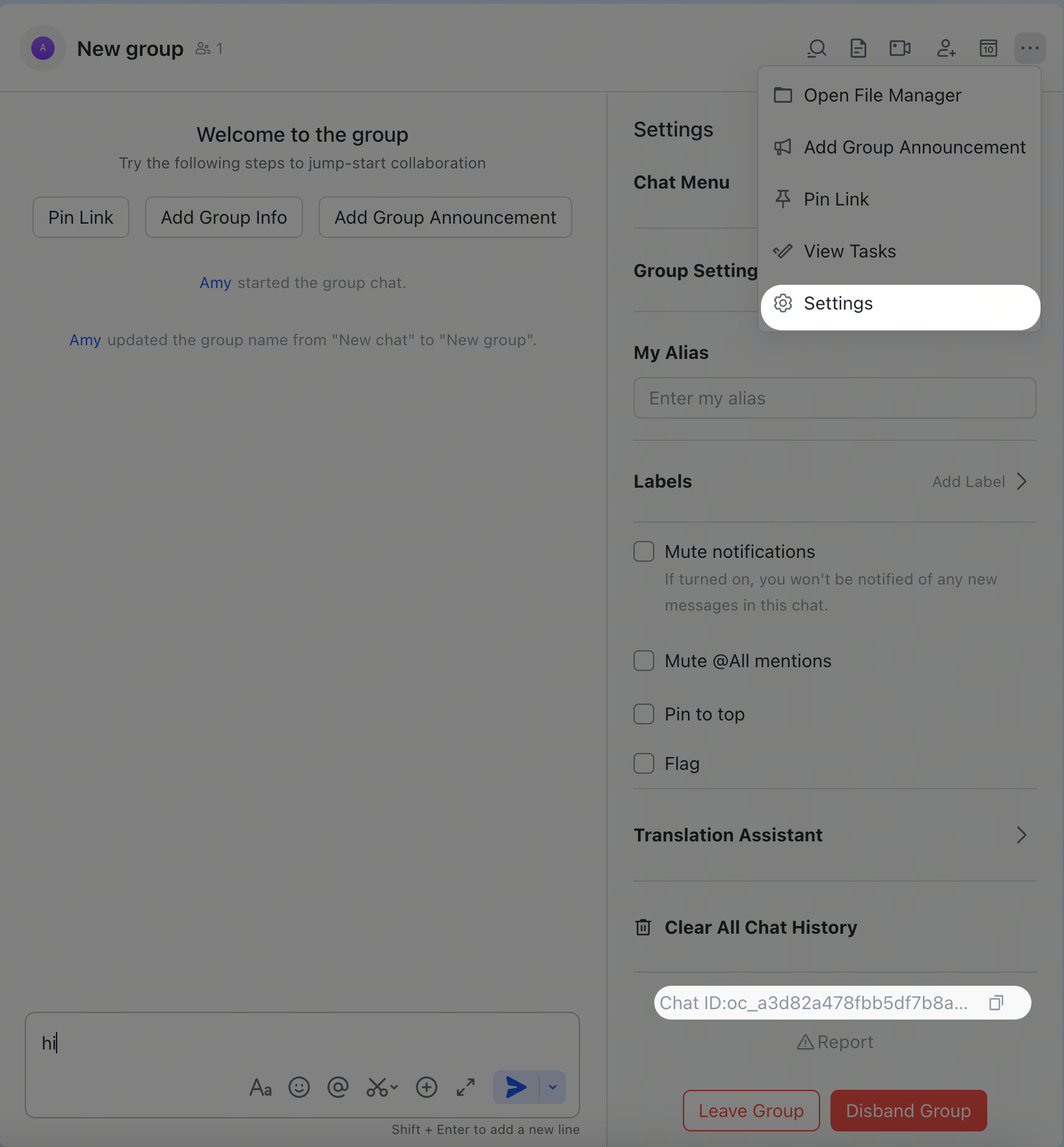
Group IDs (chat_id, format: oc_xxx)
Open the group in Feishu/Lark, click the menu icon in the top-right corner, and go to Settings. The group ID (chat_id) is listed on the settings page.
User IDs (open_id, format: ou_xxx)
Start the gateway, send a DM to the bot, then check the logs:
open_id in the log output. You can also check pending pairing requests: